
What Is Website Content? Types, Examples, and How to Write It
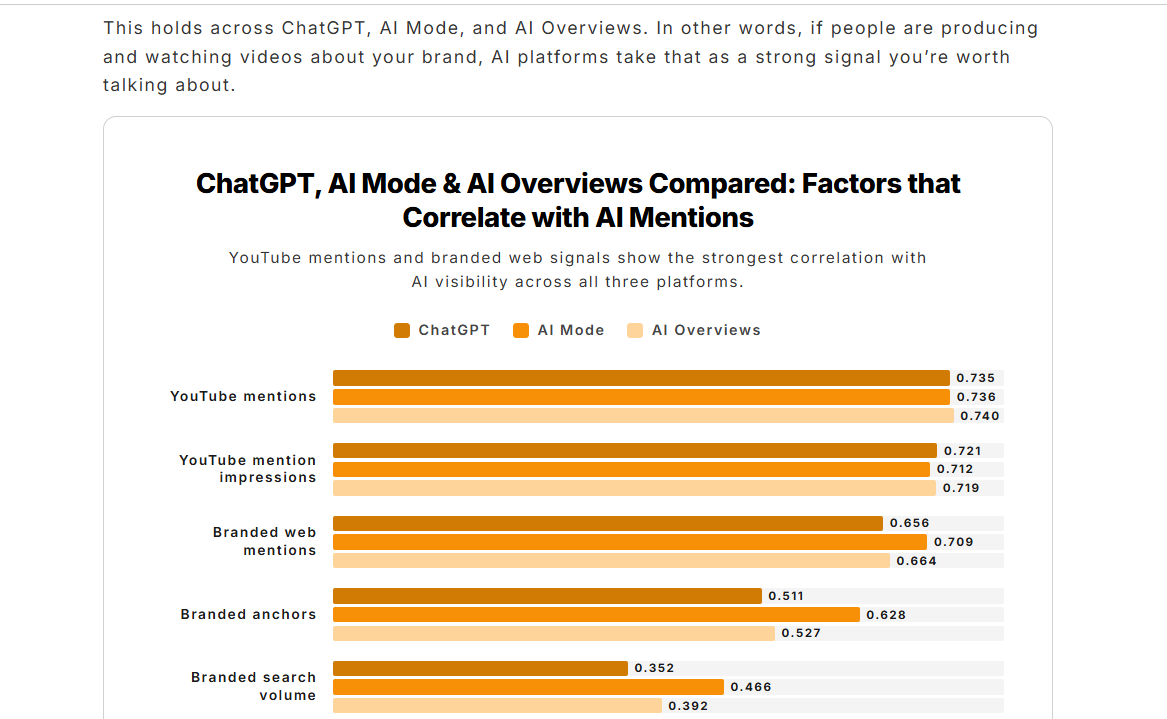

When done well, website content builds brand visibility and authority, showcases business value, and converts visitors into customers.
Creating effective website content is harder than ever, though. Search engines and AI assistants now answer questions before anyone clicks through, so your content has to earn the click and be distinct enough to get cited.
This guide, based on my experience creating 700+ website content assets over the last five years, explains how to create content that drives visibility, educates, engages, and converts. I also explain how to use analytics tools to see whether your content is working and to find optimization opportunities.
Before we dive into the practical nitty-gritty, let’s tackle some basics: what website content is, why it matters, and its main types with examples.
What Is Website Content?
Website content is everything a visitor reads, watches, hears, or interacts with on your site. That covers the words on your homepage, your product and service pages, blog posts, as well as images, videos, and interactive tools like calculators or quizzes.
Why is website content important?
Web content is a foundation of every website, along with design and user experience.
Your website needs great content to:
- Help visitors find your website through search.
- Communicate your brand message and what you do.
- Establish brand authority and customer trust.
- Guide visitors through the customer journey, from first visit to purchase.
- Move people to act, whether that’s a signup, a sale, or a call.
- Support existing customers and help them realize product value.
The Main Types of Website Content (With Examples)
Strong websites use a mix of textual, visual, interactive, and audio content. Blending the four types makes the content more accessible and easier to digest for visitors with different needs and preferences.
Textual content
Text is the dominant kind of content on most websites. It’s the default across all page types.
- Homepages: communicate who you are and your value proposition, establish authority, and guide visitors deeper into the site.
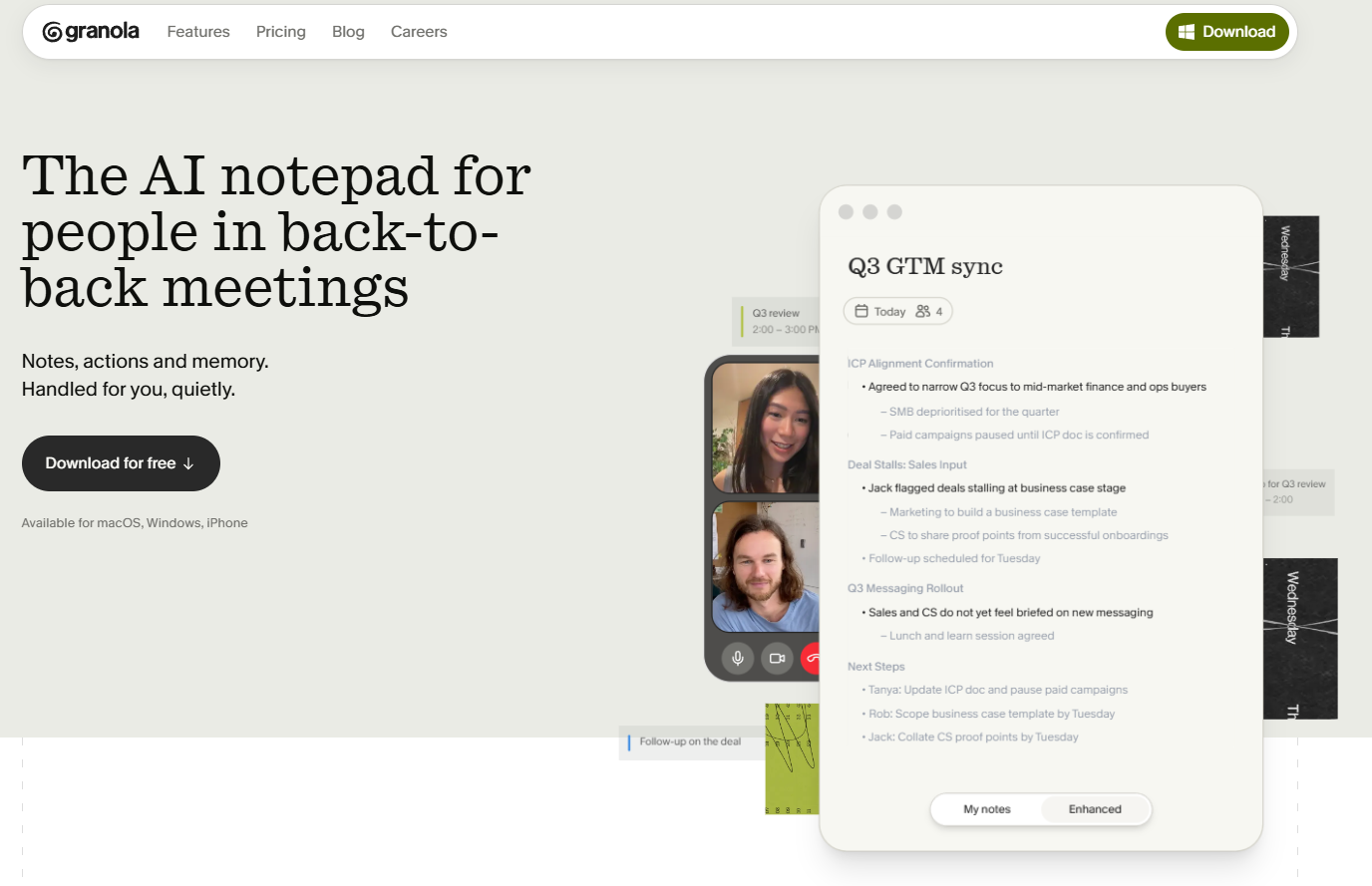
- Product and service pages: explain what you sell and the problem it solves.
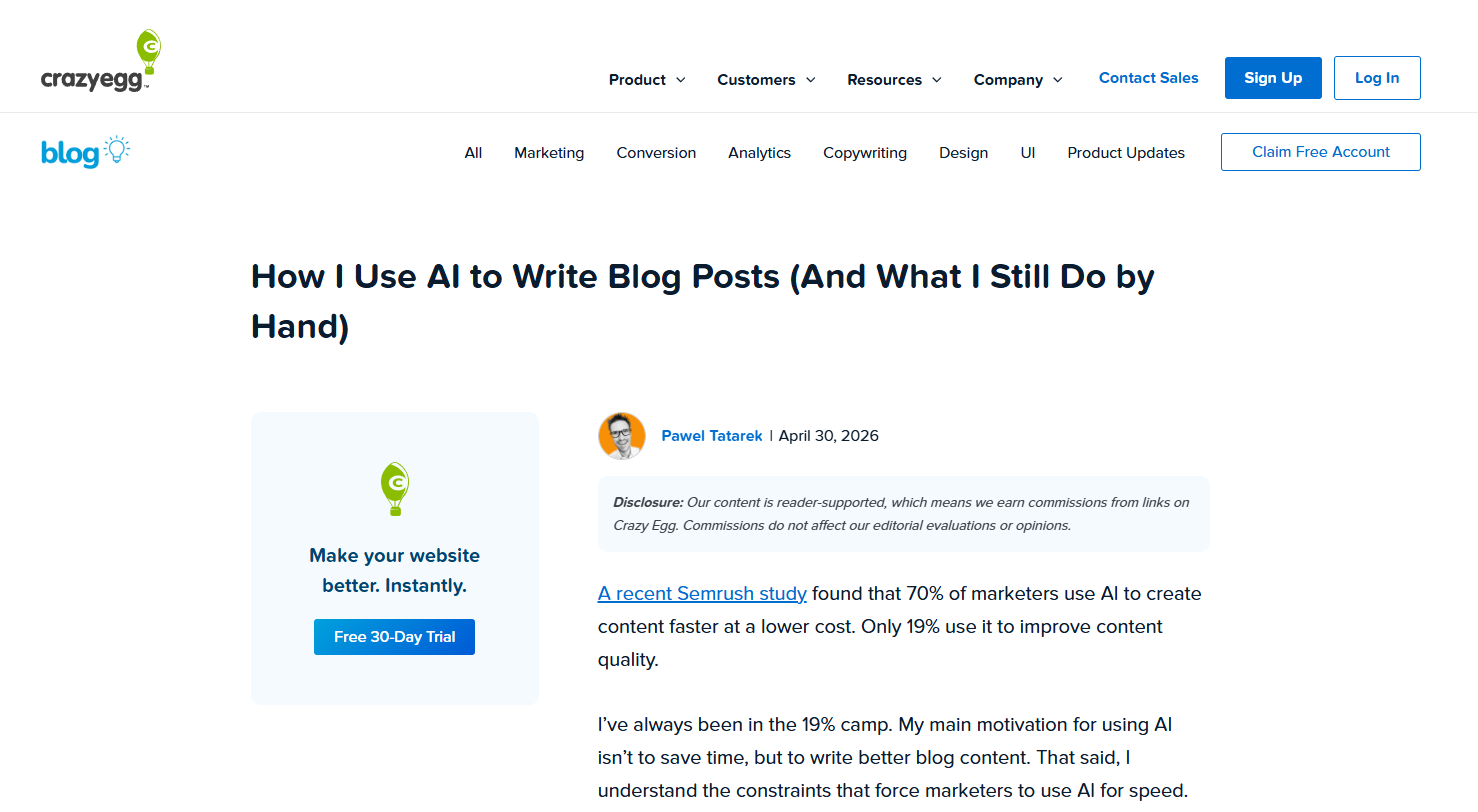
- Blog posts and guides: long-form content that educates and attracts search traffic.
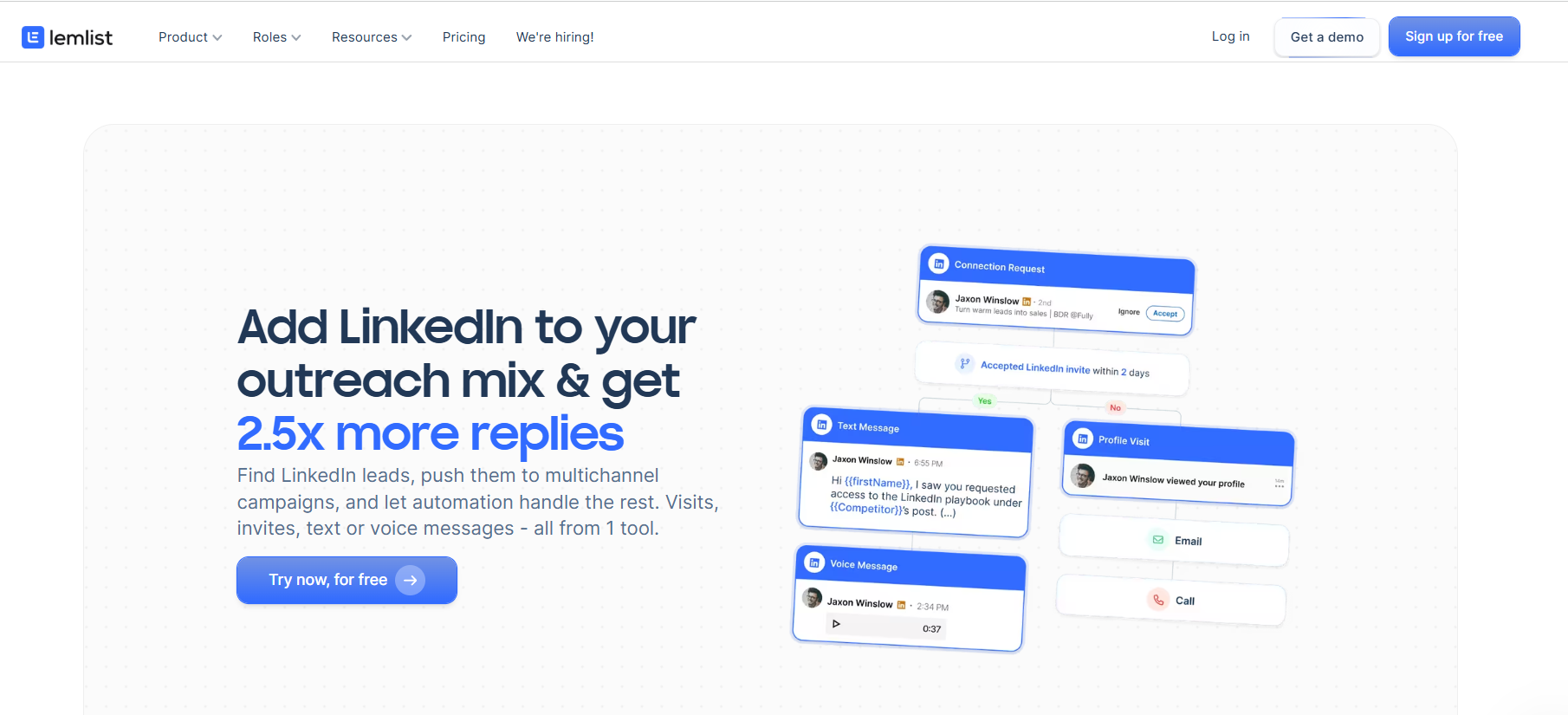
- Landing pages: standalone pages linked to marketing campaigns, communicate product or service value, capture attention, and nudge them to convert.
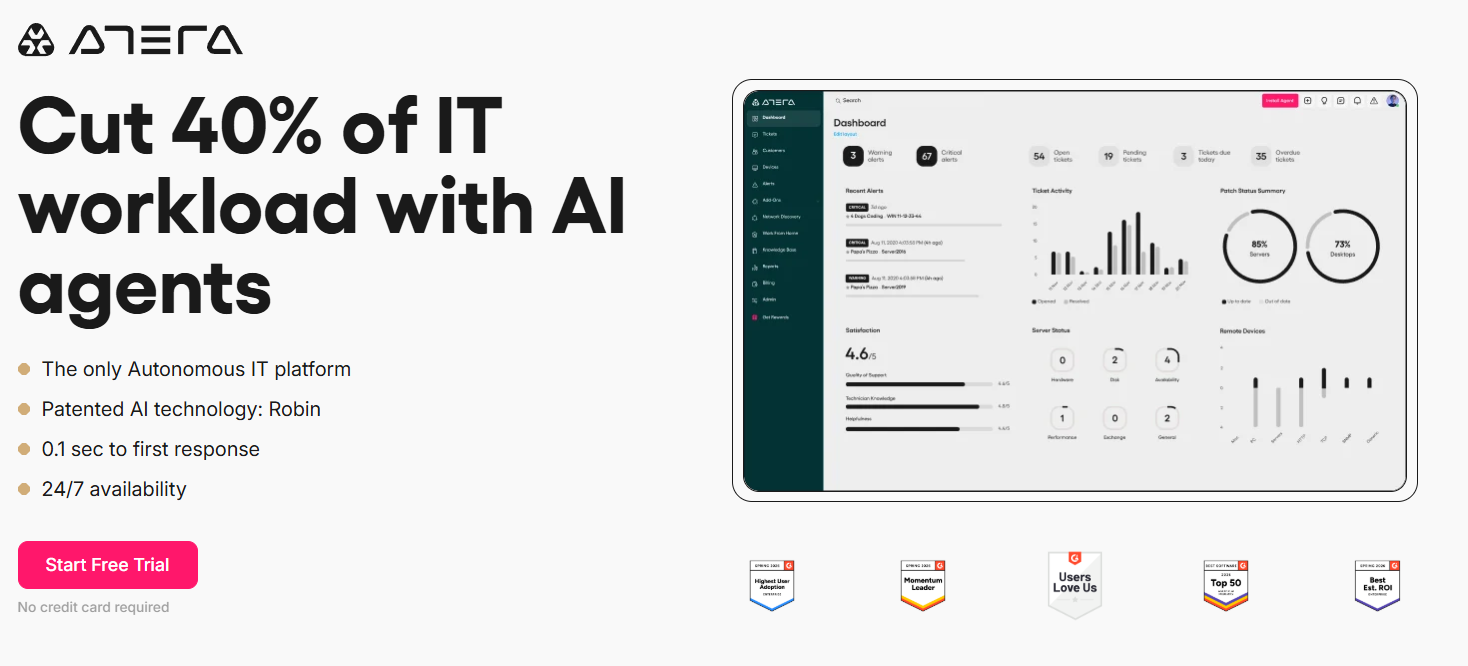
- Case studies and testimonials: proof that you deliver results.

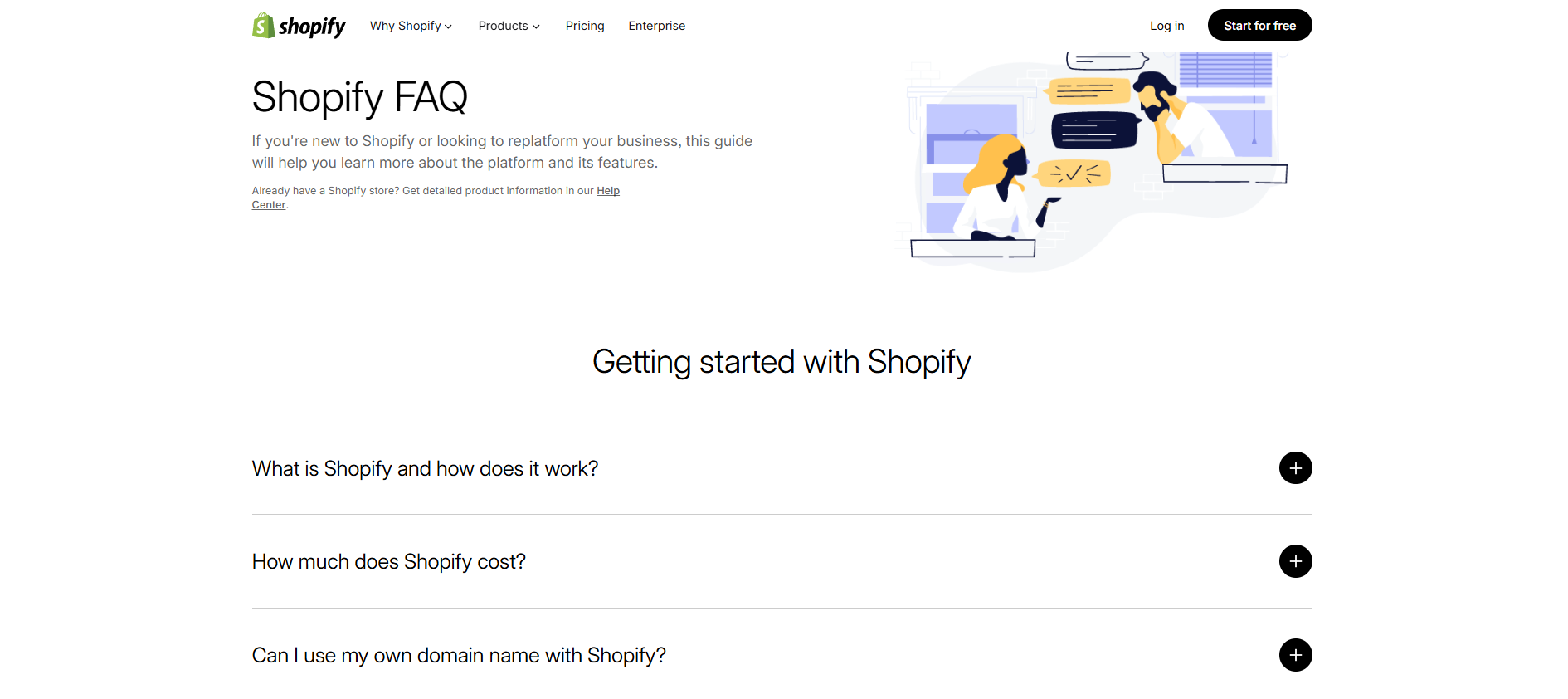
- FAQ pages: quick answers to the questions buyers ask most.
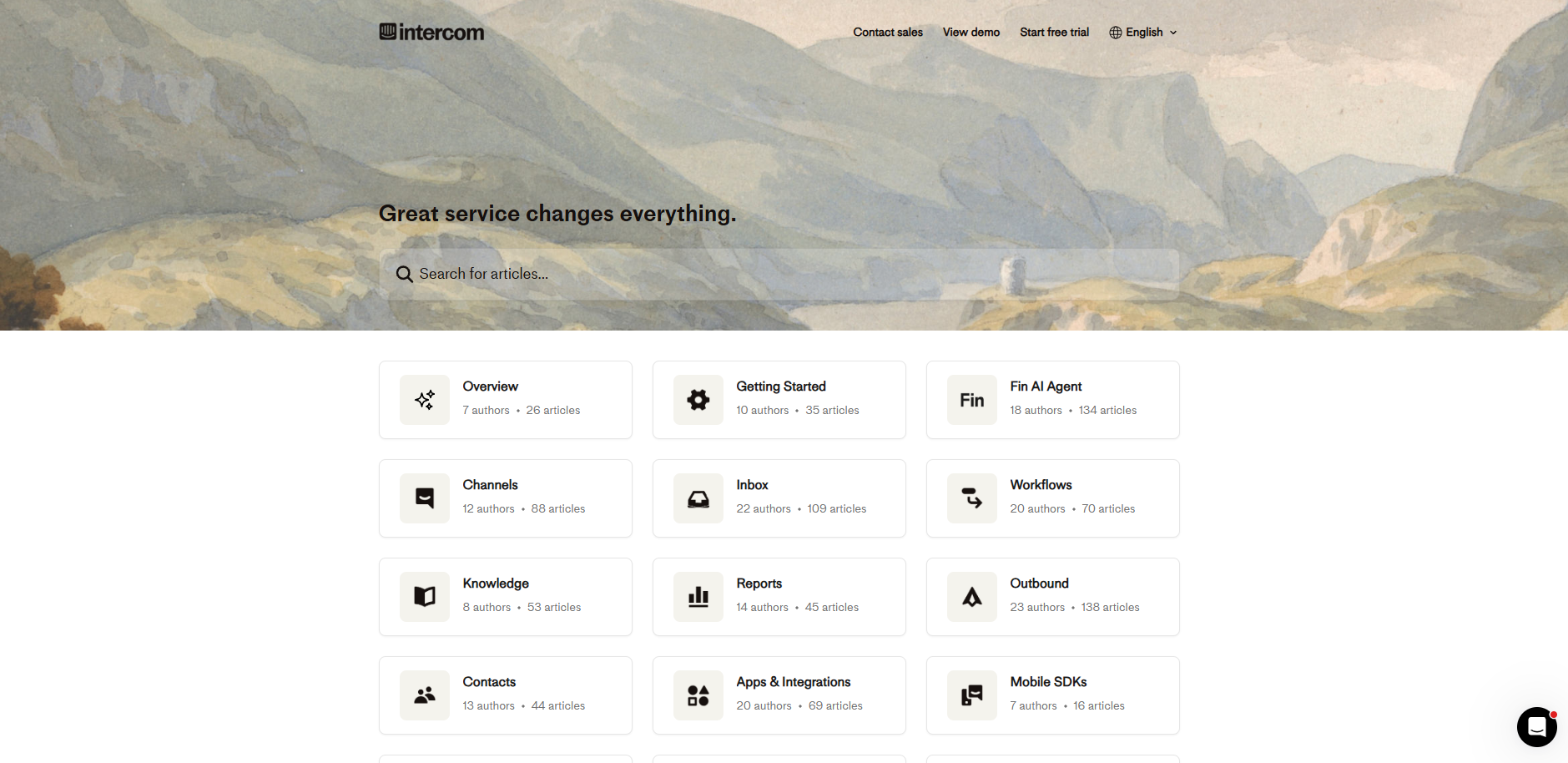
- Help center: support documents explaining how to complete tasks and troubleshoot.
Visual content
Visual content is anything a visitor sees rather than reads: photography, product images, videos, infographics, and GIFs.
Visual content is superior to text for a few use cases:
- A short product demo video or tutorial shows how something works faster than a paragraph.
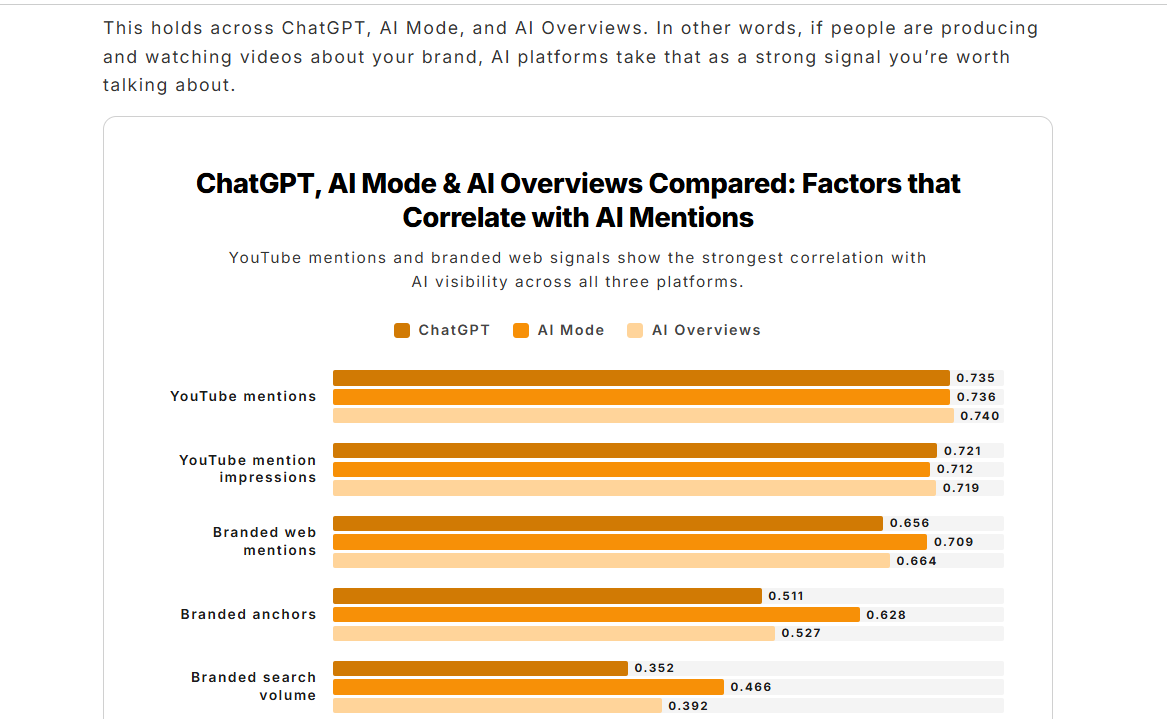
- An infographic or a chart that compresses multiple data points is easier to take in than dense prose.
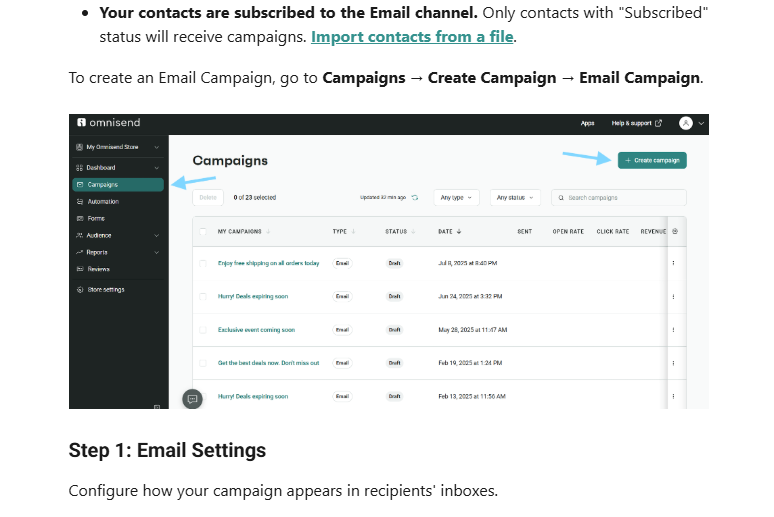
- Annotated screenshots that walk readers through a process step by step are easier to follow than written instructions.
Images and videos also break up the infamous wall of text on the page, make it visually attractive, and increase discoverability through visual search.
Interactive content
Interactive content requires the visitor to engage with the website and delivers tangible value.
Here are a few examples:
- A mortgage or pricing calculator offering an instant, personalized affordability assessment.

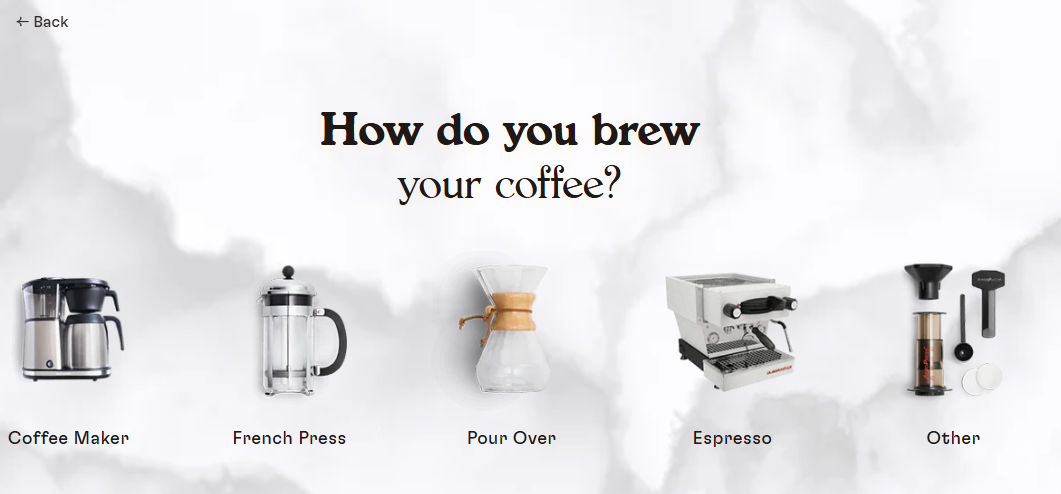
- A quiz guiding visitors to the right product or plan.
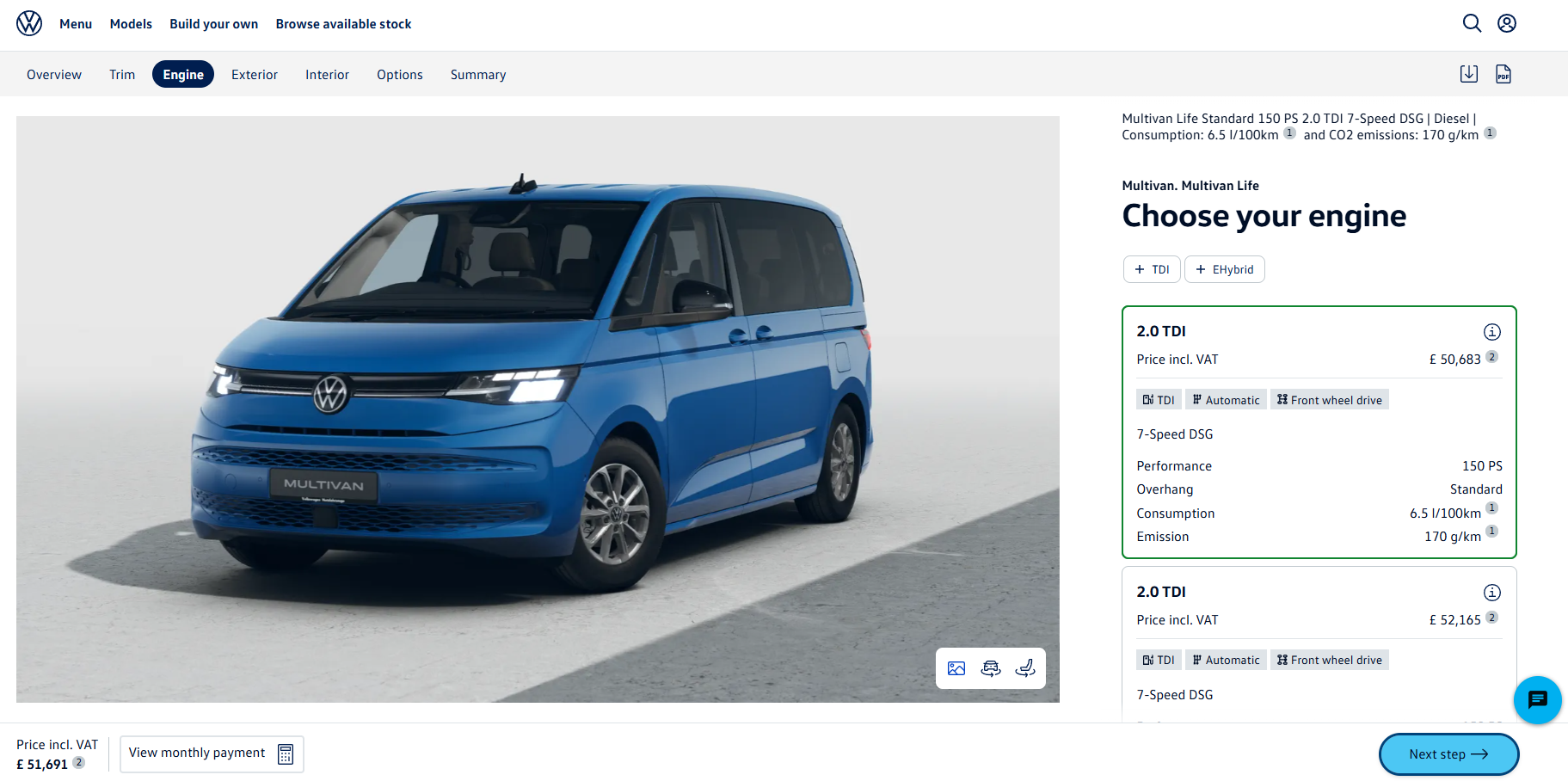
- A configurator letting customers build and price exactly what they want.
- An embedded map helping customers find the nearest store or service point.
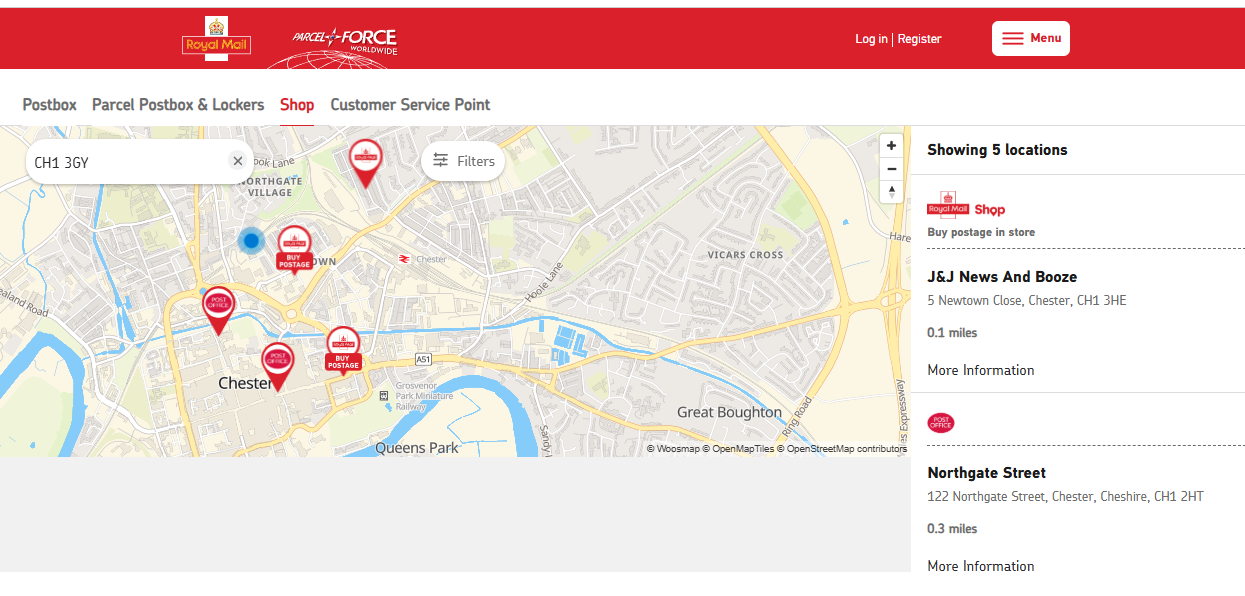
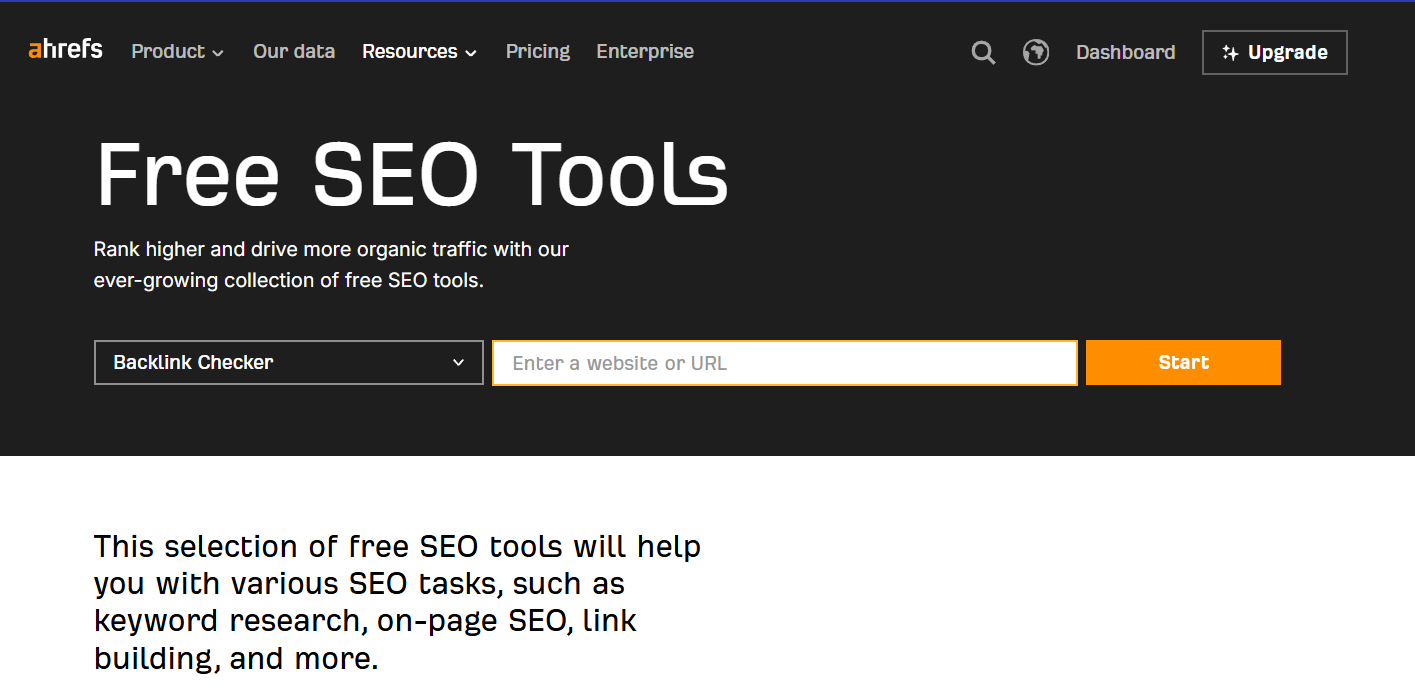
- Free product features allowing visitors to complete simple tasks.
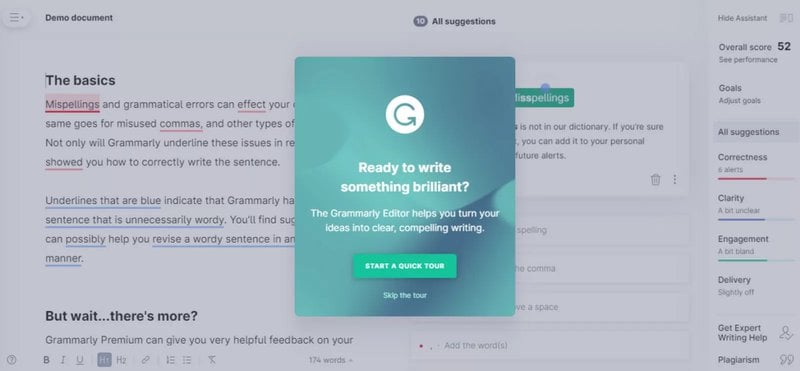
- Interactive onboarding walkthroughs teaching new users how to use the product.
Thanks to vibe-coding, interactive content is easier to build, and even easier to overdo. Use it sparingly, only when it adds value: solves a problem, entertains, or educates.
Audio content
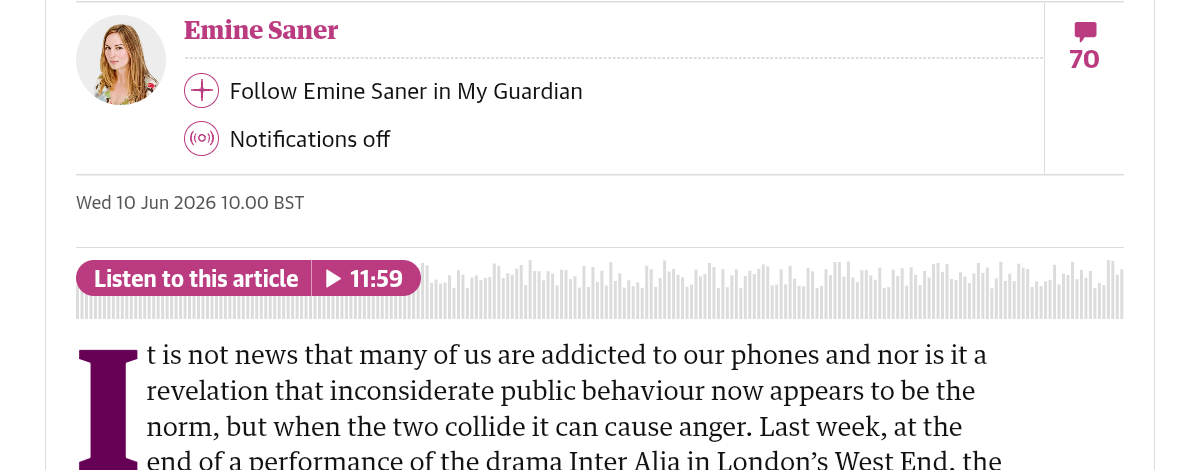
Audio is the smallest of the four content types for a typical site. It normally complements text and serves people who’d rather listen than read.
For example, an audio version of a long article that people listen to while they work or travel, or a podcast episode related to the page content.
How to Write High-Quality Website Content: 10 Best Practices
Good website content is reader-centered, purposeful, credible, easy to consume, and hard to copy.
Let me share 10 practices that will help you write content that ticks the boxes.
1. Give every page one clear job (and a CTA)
Start writing web content by defining the job that the page does. Is it to educate the customer? Turn organic visitors into trial signups? Convert ad clicks into calls?
The goal determines the page type and the CTA.
For example, if you want to get demo bookings from your ad campaign, you need a landing page with a CTA like “Book your demo.”
One page = only one CTA. More split reader attention and confuse.
2. Start with the visitor’s problem, not the product
Start with the audience and the problem they’re facing, and only then present your product’s features as a solution.
Slack’s value proposition starts with “Make work life simpler, more pleasant and more productive.” The explanation of what Slack is comes later.
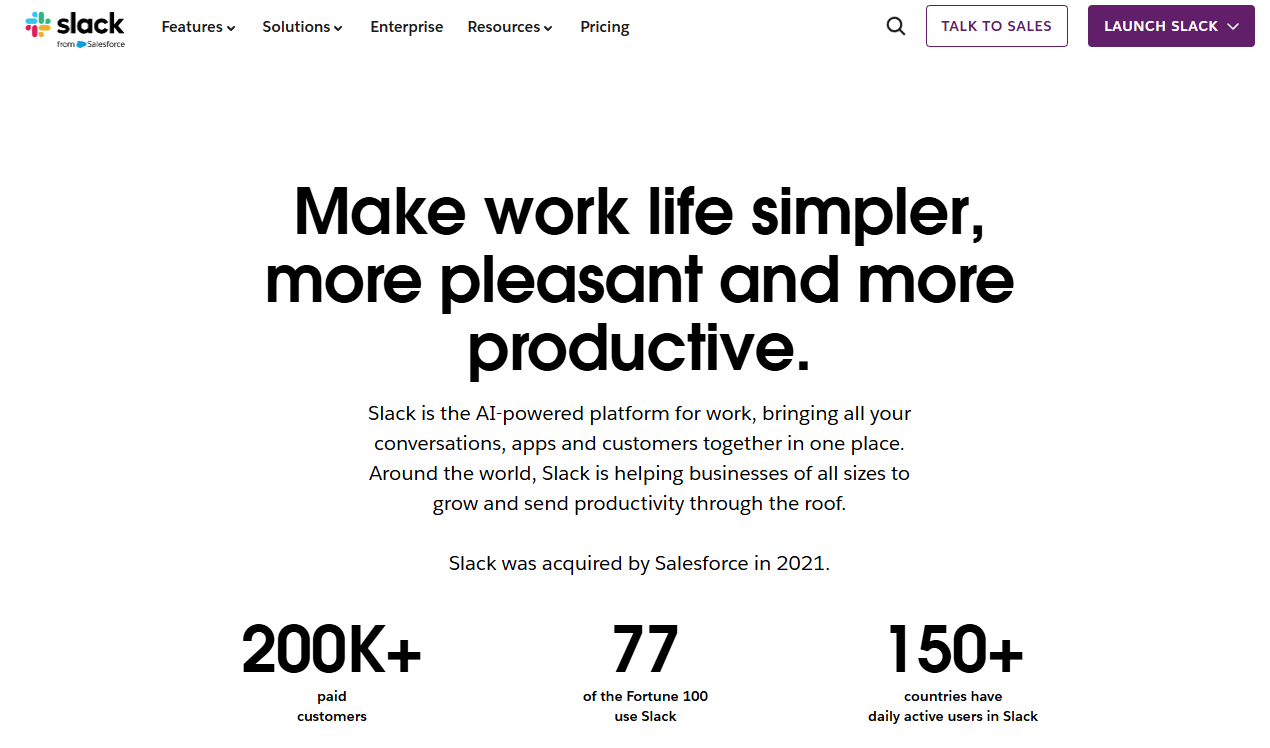
Leading with the benefit shows that you understand the reader and their pain points, and makes the solution credible.
To understand customer problems and find out what questions they ask:
- Talk to the product and product marketing teams.
- Analyze support tickets and sales call transcripts.
- Follow niche Reddit threads.
- Look up their search queries and prompts.
- Study customer reviews on G2, Capterra, Trustpilot, or Amazon.

3. Speak at your readers’ level
Writers are told to use short sentences and active voice or to avoid jargon to “make your writing easy to read.”
I agree. If reading your content is too much work, website visitors will go somewhere else. And even if they don’t, it won’t be effective.
But I think the advice often goes too far. For example, “Write as if you were explaining to a 5-year-old” makes no sense when you’re writing for B2B execs (or everyone else for that matter).
My recommendation? Adjust the reading level to your audience.
For example, don’t overexplain things they already know. Or, if you’re writing for software engineers, use the technical jargon they use.
That’s yet another reason to study reviews, support calls, and forum threads. It shows you how customers talk about their problems, so you can mirror their language in your content.
4. Start with the key information, give details later
Organize your content so the reader gets what they need as soon as they land on the page.
For instance, summarize the key article takeaway in the first intro paragraph (Ahrefs intros, like the one below, are a good example) and start each section with the most important idea (bottom-line up front or BLUF).
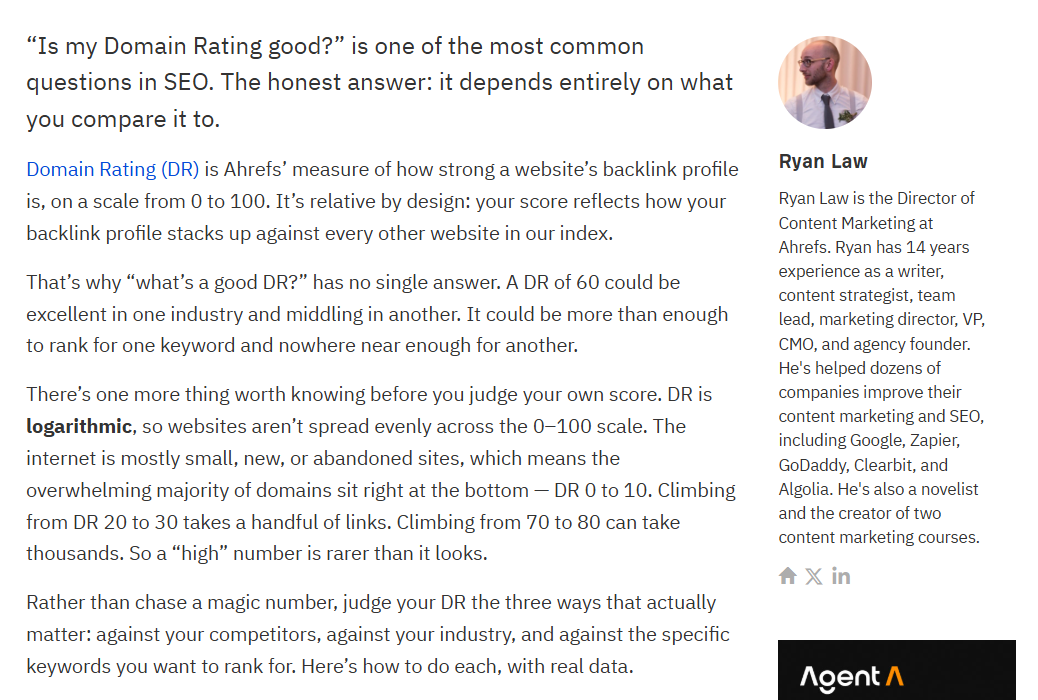
Only then follow with evidence, examples, social proof, nuance, or technical details.
Such a structure, called an inverted pyramid, keeps visitors on the page.
Visitors decide within seconds whether the page is worth their time, and if the payoff is buried deep down the page, they miss it. There’s also evidence that AI systems are more likely to cite information from the top third of the page.
5. Format for scanning and skimming
Make your content easy to skim and scan, so a quick scroll through the page is enough to grasp the main argument and key points.
Multiple studies by Nielsen Norman Group between 1997 and 2019 have demonstrated that people don’t read web pages line by line. They skim them to get a general idea of the content or scan for specific information.

How do you improve content scannability and skimmability?
- Front-load the key insights (see above).
- Break up the text into sections with descriptive headers.
- Keep paragraphs to 1-3 sentences, and max 3 lines.
- Break lists of three or more items into bullets.
- Add screenshots, graphs, diagrams, and infographics to illustrate complex concepts or data-dense arguments.
- Bold the phrases that carry the point.
- Leave white space.
6. Make your content trustworthy and authoritative
High-quality content is trustworthy and authoritative. It inspires reader trust by:
- Backing up claims with recent high-authority primary sources (no stat roundups with data going back to the 2000s, plz).
- Citing internal and external subject matter experts.
- Featuring customer case studies and testimonials as evidence that your product or service works.
- Being transparent about research methodology and limitations (e.g., sample size).
- Signalling the writer’s authority in the author bio and the introduction (like Despina does in her Ahrefs article).

7. Make your content hard to copy
To give a competitive advantage, your content needs to be hard to replicate. If a competitor can produce the same content asset as you, they will. So, all competitive gains will be short-lived.
To stand out, build your content on:
- Data nobody else has, like product-usage numbers or insights from a customer survey.
- Specific and actionable advice based on hands-on experience. Backed up with screenshots and notes.
- Named expert input (your own team, external specialists) as the discussion driver, not a mere embellishment.
- Specific customer stories showcasing how exactly they achieved their results.
- A genuine point of view earned from doing the work — especially where you disagree with the consensus.
None of this is new. Good writers have been creating such content for years. But as gen AI is making content cheaper and easier to create, it’s more important than ever.
8. Use AI as an aid, not a crutch
Producing generic content without any unique or practical value isn’t the only problem with AI.
It also hallucinates and misinterprets data, can’t build logical arguments, and plagiarizes, to name just a few issues.
What’s worse, consumers show aversion to AI-generated content, and studies, like the Graphite one from October 2025, have shown that it performs worse in search than human-written content.
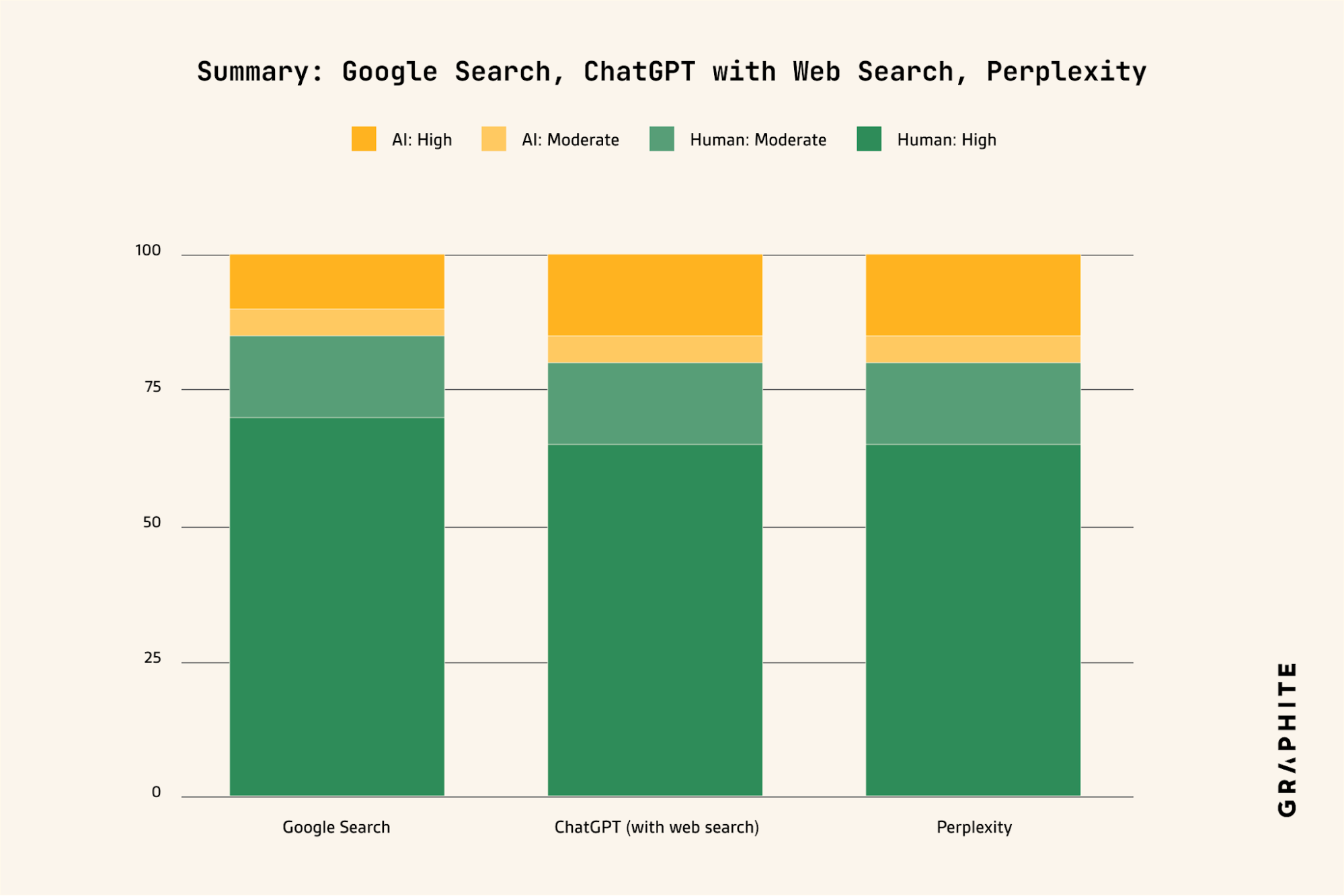
This, however, doesn’t mean you shouldn’t use AI.
Just the opposite. AI gives content creators the edge: it helps them research deeper, draft faster, and edit more thoroughly. But only if you stay in charge and never outsource the entire process.
From my experience, gen AI produces the best results when you:
- Brief it with reliable data, examples, personal experience, proprietary frameworks and processes, and opinions before writing.
- Prompt it to create the outline and draft based on the brief exclusively and not generic training data or poor sources from the web.
- Review the outputs thoroughly. Always.
9. Keep your content up to date
Regularly updating content keeps it relevant and valuable for the audience.
As your industry evolves, so do customer needs. To satisfy arising needs, your product or service evolves, too. And your website content needs to evolve to be accurate and useful.
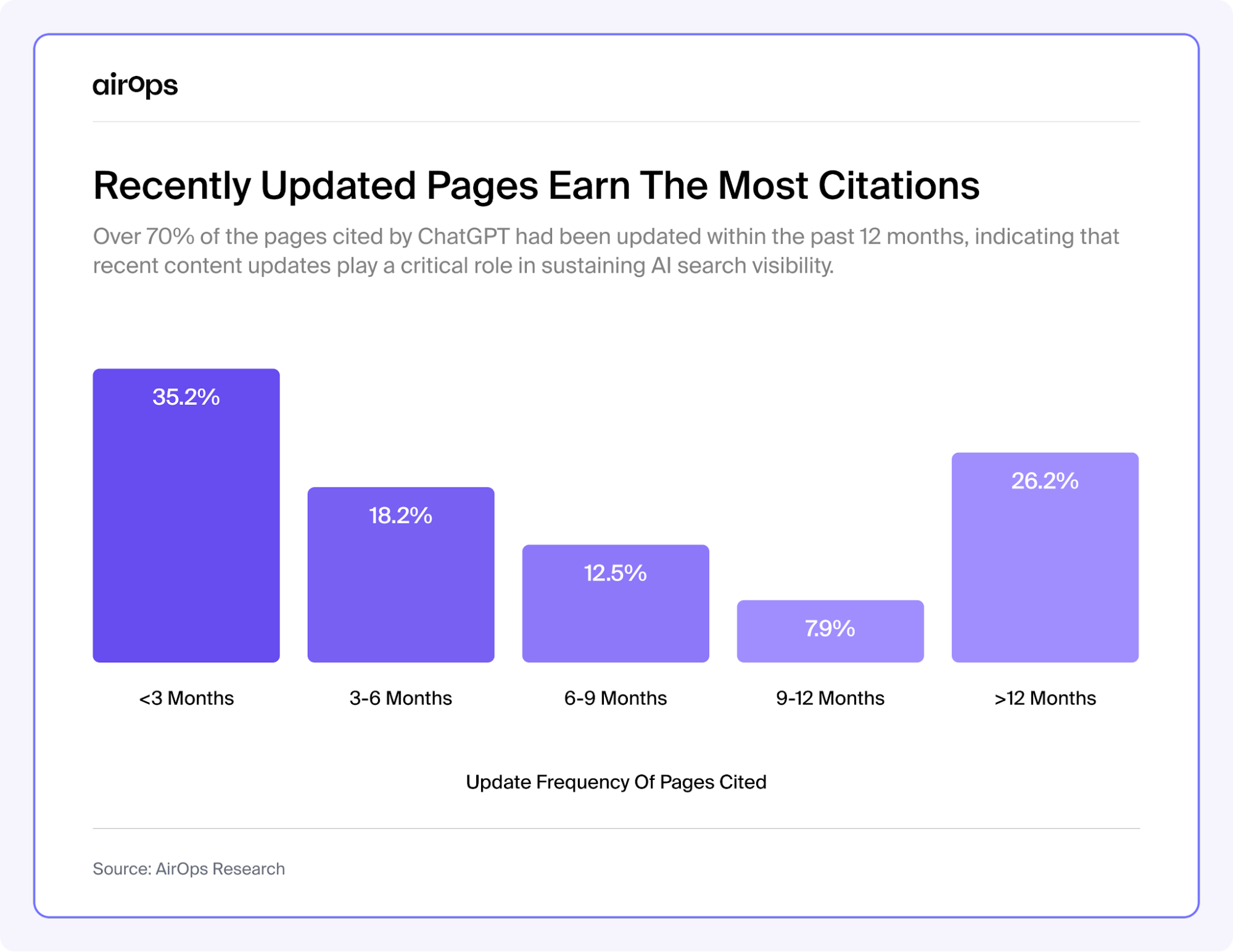
In practice, it means updating it whenever your product changes (new features, UI redesigns, etc.), plus refreshing the stats and data and re-aligning with search intent every 3-12 months (depending on content type and industry).
Content currency affects online visibility. Research from companies like Surfer and AirOps shows that search engines and AI systems reward fresh content.
10. Optimize your content for search
Website content and SEO — and recently AEO — are interconnected. Apart from communicating product value, educating, and driving conversions, content enables search engines and AI systems like ChatGPT, Perplexity, and Gemini to discover your website and serve it to the right audiences.
The good news?
Many of the best practices we’ve just implemented, like writing unique content based on personal experience, demonstrating trustworthiness and authority (E-E-A-T), or formatting text for easy scannability, already improve search visibility.
Here are a few more SEO and AEO tactics to use:
- Cover the topic thoroughly and match the searcher’s intent.
- Include relevant keywords in the title, headers, metadata, and image alt text.
- Write descriptive meta descriptions and URL slugs that help AI search engines understand the page.
- Add internal links contextually to help search engines crawl your website and understand page content.
- Use question-style headers and answer them directly (no hedging).
How to Tell If Your Website Content Is Working
Implementing the above best practices is a good starting point, but you won’t know whether your content works until you publish it and track its performance.
Here’s how to do it and what tools you need:
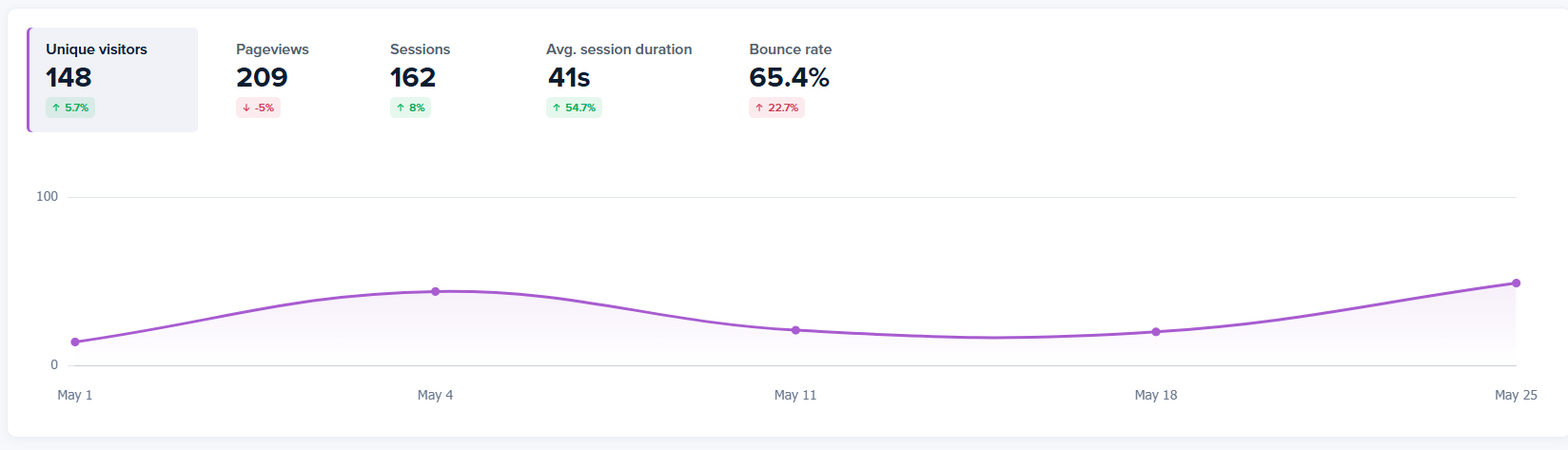
- Track traffic and engagement: Use web analytics to track pageviews, time on page, and bounce rates to see if a piece of content is attracting traffic and keeping readers engaged.
- Track AI-search visibility: Track branded search and AI referral traffic; use tools such as Peec AI, Scrunch, Profound, or Ahrefs Brand Radar to monitor brand mentions, citations, share of voice (SOV), and sentiment.
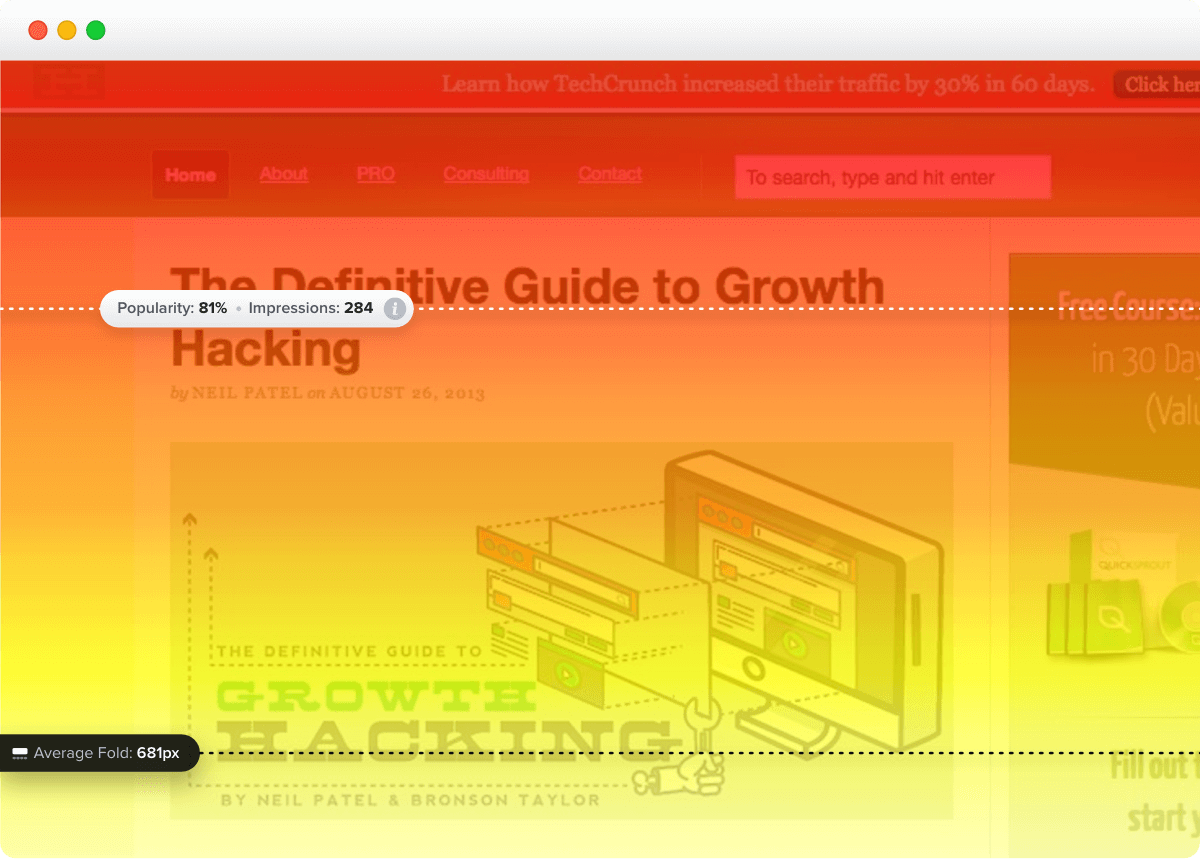
- Watch where readers drop off and what they pay attention to on the page: Use scroll maps and session recordings to see how far users scroll, which sections they hover over, and how they engage with the content.
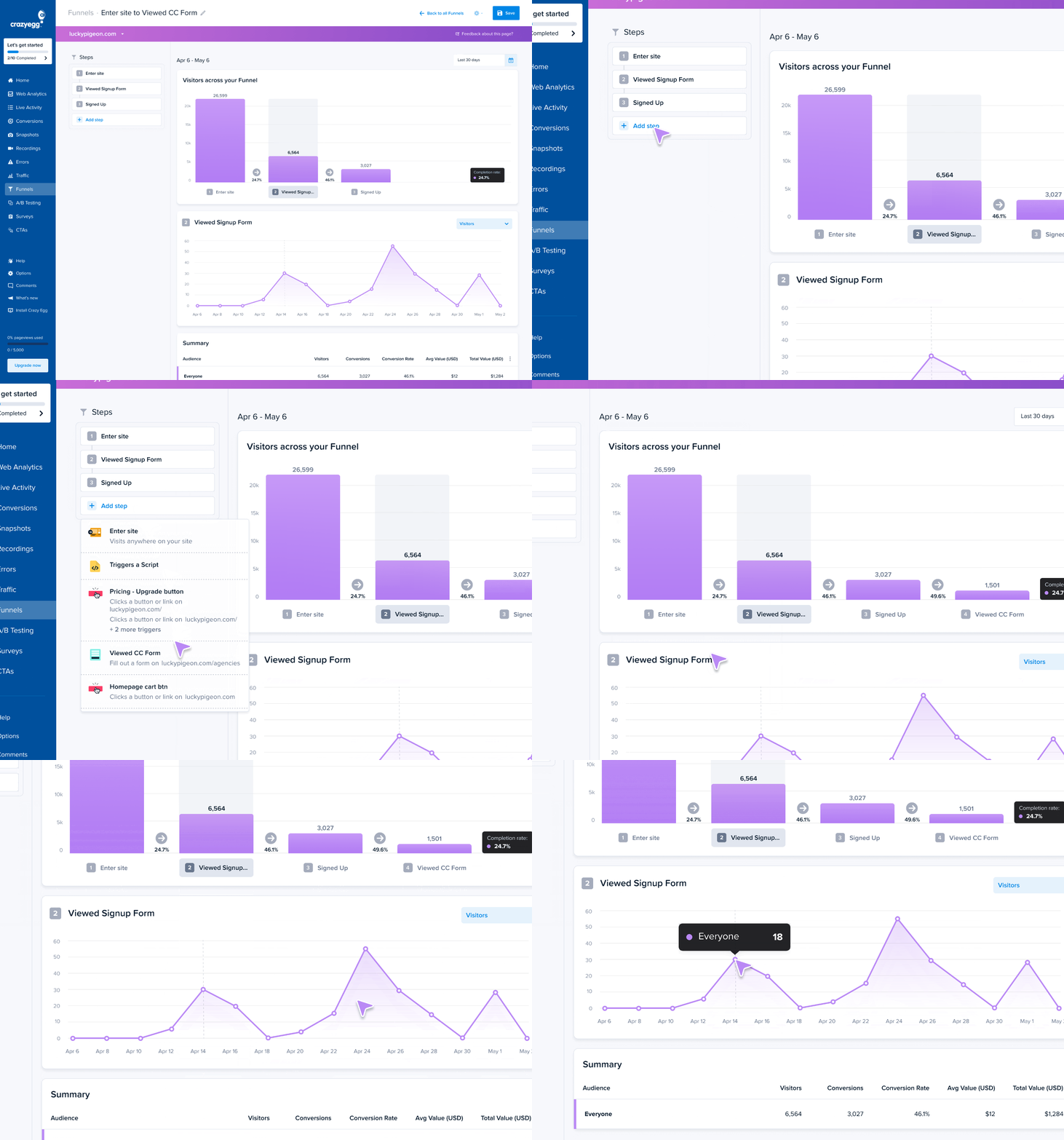
- Track conversions: Use Conversions and Funnels to assess how effectively the content drives action.
- Ask visitors for feedback: Run on-site surveys to understand how well the content satisfies their needs.
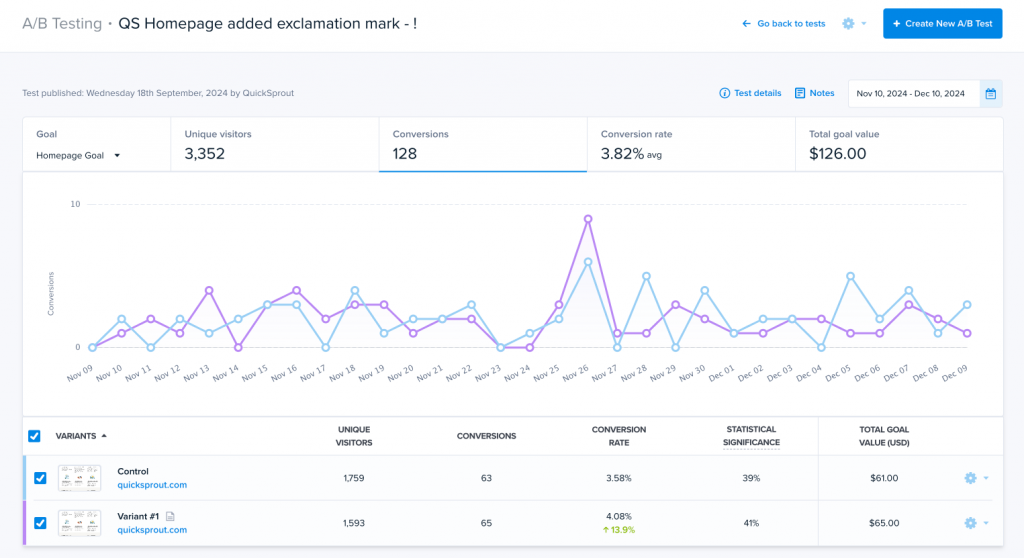
- A/B test different content types to find ones that best engage and convert users.
Create Website Content That Drives Growth
A strong website content puts the reader first, stays current, and builds around something only you can produce: your data, your experience, your point of view. As AI keeps absorbing the generic answers, that’s what it can’t copy, and it’s what sets you apart.
Getting content published is only half the job. The only way to know if any of it is working is to watch how real visitors engage with it.
That’s where Crazy Egg helps. Start analyzing your website content performance with Crazy Egg’s web analytics, funnels, scrollmaps, session recordings, and surveys for free.
Frequently Asked Questions
What’s the difference between web content and web copy?
Website copy is a kind of website content. It’s the persuasive text written to drive action, like headlines, calls to action, and product or landing page text.
Website content is the broader set that also includes blog posts, images, video, and interactive tools. All copy is content, but not all content is copy.
How is website content different from content marketing?
Website content is the assets that live on your site. Content marketing is the strategy of creating and distributing content — on your site and off it — to attract and keep an audience. Your website content is one channel within a content marketing strategy.
How long should website content be?
There’s no single ideal length for website content. Top-ranking pages for a single term run from a few hundred to a few thousand words, while ChatGPT is most likely to cite content within the 500-2000 word range. The key is to fully answer the visitor’s question and satisfy the search intent.

