
Google Maps Ranking: How Small Businesses Can Improve Local Visibility

Showing up in Google Maps can feel a little like trying to get the best table at the hottest new restaurant — except they don’t take reservations and you don’t know who’s taking names or how the waitlist works.
For small businesses, local search results are incredibly valuable. They’re where people go when they need to book a plumber, pick a spot for brunch, or call an emergency dentist. And these usually aren’t window shoppers. They’re folks with intent and a phone in their hand.
But unlike scoring a table at that overbooked, super hot new restaurant, you don’t need to know a guy or even get lucky to boost your Google Maps visibility. You just need to convince Google that your business is real, your information is accurate, and you’re a relevant, trustworthy result for the searchers looking for a business like yours.
And that means the businesses that win local search aren’t always the ones with the biggest marketing budgets or the best name recognition. There are practical things you can do to improve your odds, like cleaning up your business info, strengthening your website, building better citations, and adding schema markup — all tactics that make it easier for Google to understand exactly who you serve and where you serve them.
Let’s learn how Google Maps ranking works — and what small businesses can do to become easier to find.
How Google Maps Ranking Works
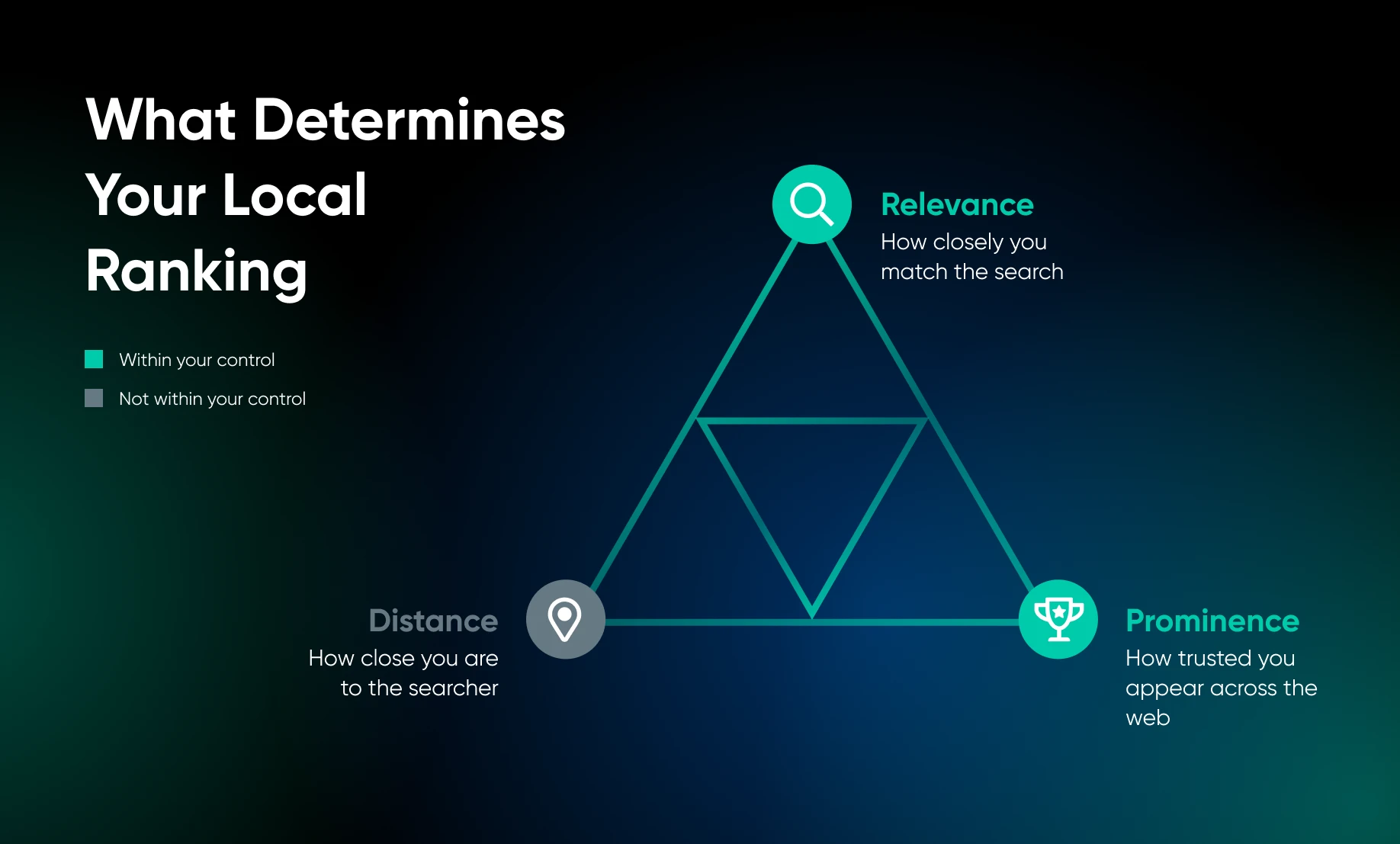
Google uses three primary factors to determine local rankings:
Distance is largely fixed — you can’t move your business closer to every searcher.
But relevance and prominence are built. A business with strong relevance and prominence signals can still outrank a geographically closer competitor, because Google’s algorithm is trying to find the bestmatch, not just the nearest one.
NAP Consistency Across the Web
NAP stands for Name, Address, and Phone Number.
Google doesn’t mention “NAP consistency” specifically in its documentation, but it repeatedly emphasizes the importance of accurate information and a trusted web presence, making the principle clear: every place your business appears online should say exactly the same thing, from business name to address, phone number, and URL.
A good practice is to create a master record of your important business information:
- Full legal business name (as it will appear everywhere online)
- Street address (in one standardized format; don’t abbreviate “Street” on some profiles and spell it out on others)
- Local phone number
- Website URL (including or excluding “www” consistently)
- Business hours (including holiday and seasonal variations)
Then, audit the most likely places your business appears:
- Yelp
- Bing Places
- Apple Maps
- Foursquare
- TripAdvisor
- Your local chamber
- Industry directories
Update anything that doesn’t match your master record exactly.
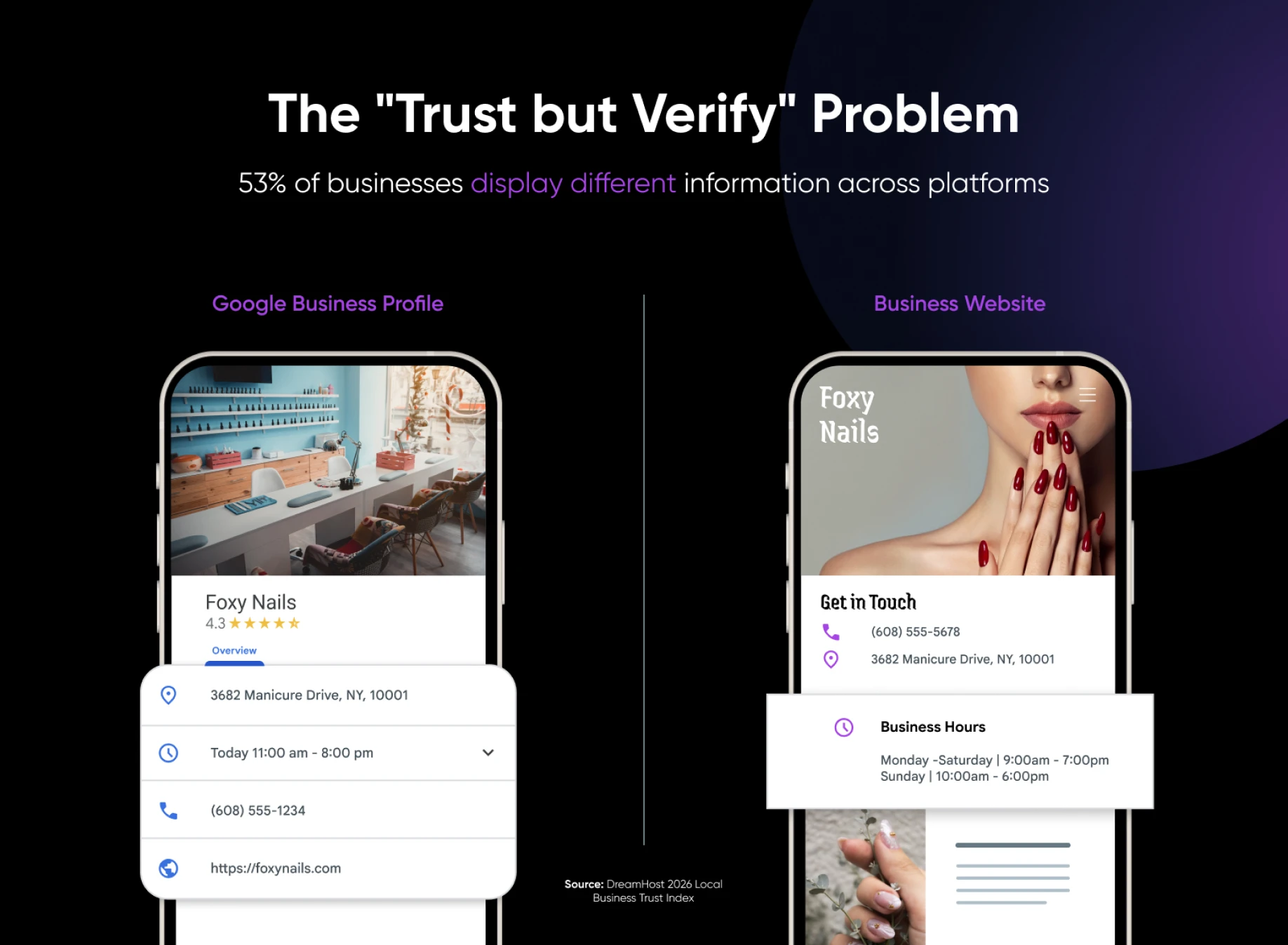
Local visibility gets much easier when your business information lives on a site you control, not scattered across platforms you signed up for years ago and forgot about.
Local Citations and Directories
A citation is any mention of your business’s name, address, and phone number on another website. Citations build the web of evidence Google uses to validate your existence and location. But more isn’t always better; a citation on a spammy, low-quality directory site can do more harm than good. You want quality and consistency.
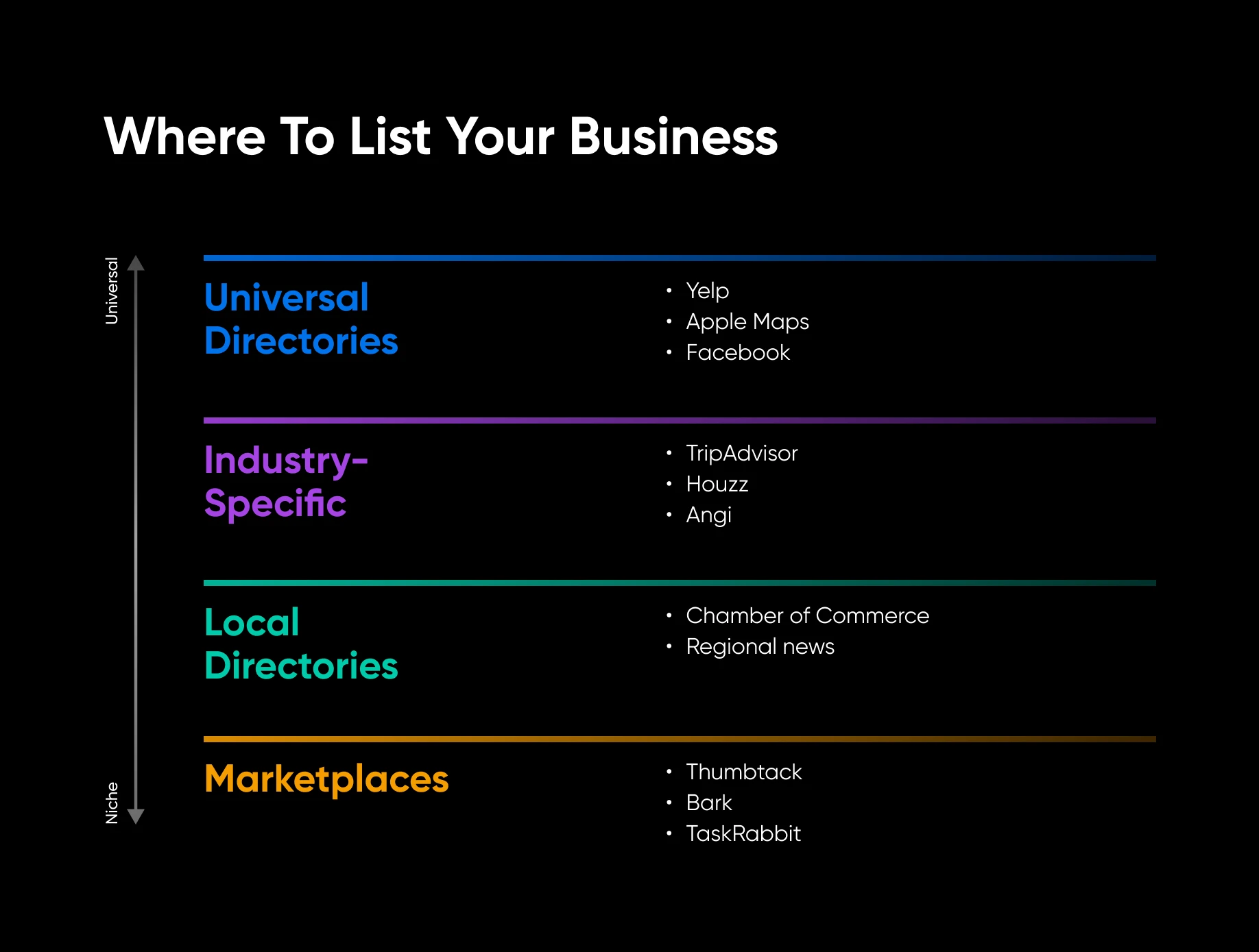
Start with high-value directories that Google knows and trusts:
- Universal: Yelp, Bing Places, Apple Maps, Facebook, Foursquare, Nextdoor.
- Industry-specific: TripAdvisor for hospitality, Houzz for home services, Healthgrades for healthcare, Avvo for legal, and Angi for contractors.
- Local: Your chamber of commerce, local business associations, neighborhood organization directories, and regional news sites that list businesses.
- Marketplaces: Thumbtack, Bark, TaskRabbit, or other platforms relevant to your service type.
When you create or update a listing, use your master record; don’t let directories auto-populate your information from incorrect or outdated sources. Claim every profile and verify your business details.
Avoid paying for bulk directory submissions from services that blast your information to tons of sites. Cleaning up bad citations later is more work than just doing it right the first time.
Schema Markup for Local Businesses
Of all the tactics in this playbook, schema markup is the most technical – but it’s also one of the fastest to implement if you’re on WordPress. Schema markup is code you add to your website that helps Google understand specific facts about your business.
LocalBusiness schema is the most relevant type for small businesses. The fields that matter most are:
- Business name
- Address
- Phone number
- Business hours
- Geographic service areas, if applicable
- Website URL
- Business type (using the most specific Schema.org type available)
If your business also sells products online, add the Product schema to relevant pages for another layer of specificity that can help in both local and ecommerce search results.
You don’t need to write schema manually. WordPress plugins like Yoast SEO or Rank Math can generate it for you. The more important thing is making sure the information in your schema matches your Google Business Profile (GBP) and your master NAP record.
Maps Optimization: How-To Workflow for Small Businesses
Depending on whether you have a physical storefront or a service-area business, here are two workflows you can follow to make sure your Maps information is consistent and optimized across the web:
For Storefront Businesses
For Service-Area Businesses
If this all seems like a lot to manage alongside actually running your business, that’s completely fair. DreamHost Pro Services can handle designing your website, implementing it, marketing and SEO, and more — so you get the results without having to do it all on your own.
Make Google Maps Optimization Easier to Maintain
Google Maps optimization is really an exercise in making your business easier to trust (for both customers and Google).
Start with the basics: your business name, address, phone number, website, hours, categories, services, and service areas. Make your website the source of truth, then bring your Google Business Profile, citations, directories, and schema markup into alignment.
From there, small steady steps add to your consistency and trustworthiness: real photos, citations, and customer reviews.
No business can control every factor that impacts their Google Maps rankings, but you can control the signals you send — and the clearer those signals are, the easier it becomes for Google (and your next customer) to see your business as the right local choice.

[Download] 2026 The Local Business Visibility Playbook
Get Found When Nearby Customers Search
Fewer than half of local businesses have complete, consistent information across Google, their website, and the rest of the internet — and Google explicitly favors the ones that do. This 35-page playbook gives small business owners a complete system for Google Business Profile, Maps, reviews, and local SEO content so your business shows up when “near me” searches happen.
Get The Playbook
Did you enjoy this article?

